


HITL vs Pushary
HITL gives your agents more than a yes or no: ask for a number, a rating or an edit, send each answer down its own branch of a visual workflow, and start free.
TL;DR: three reasons teams pick HITL
HITL keeps a person in the loop on AI agents, from a one-tap approval to a multi-stage review that branches on every answer. Here is where it pulls ahead of Pushary.
Workflows that branch on the answer, with AI steps, Conditions and several Human Review steps in one visual editor.
7 response types, including editable text, number and rating, on top of yes or no, choice and free text.
A free plan with 500 requests a month, plus Telegram and an Apple Watch app.
Built for complex decisions, not just yes or no
In HITL a workflow is a graph, not a straight line. Classify the request, ask the right person, branch on what they say and merge back. Build it on a canvas, or describe it and let the workflow assistant build it for you.
Yes: Send the refund · No: Email the customer
As many reviews as the decision needs
Put several Human Review steps in one workflow: a first check, a second sign-off, an escalation, and a different reviewer on each branch.
Branch on the answer
A Condition step routes on what the person decided or on the data. An AI Classifier sends each request down the path for its category.
Paths that meet again
Branches can merge back into one path, so a refund, an escalation and a drafted reply can all finish with the same follow-up step.
Describe it, get the workflow
The built-in workflow assistant builds the graph from a plain-language prompt. Every revision is kept, so you can restore an earlier one.
Nine step types on the canvas
- TriggerStart on a schedule, an email or a spreadsheet row.
- Human ReviewAsk a person to decide, with any of the 7 response types.
- AIRun a prompt on the data so far.
- AI ClassifierSort input into categories, each with its own path, plus Other.
- ConditionBranch yes or no on the answer or on any data.
- TransformSet variables for the steps that follow.
- DataFetch from Google Sheets, an API or a table.
- ActionCall a webhook, send an email or post to Slack.
- EndClose the run once every path is done.
What about Pushary?
Pushary's own summary says it is not an orchestration layer and does not route work between agents: an agent asks when it needs a person. It offers per-tool rules that approve, deny or escalate. HITL adds a workflow around the question, with branches, AI steps and several reviews.
Feature comparison
Where HITL leads comes first. Then the features HITL and Pushary share, from connecting agents to pricing.
| Feature | HITL | Pushary |
|---|---|---|
| Nonlinear workflows (branching, multi-step review) | YesBranches, AI routing, several review steps | Not listed |
| Visual workflow editor | YesCanvas with 9 step types | Not listed |
| Reviewer edits the AI draft | YesEditable text | Not listed |
| Apple Watch | Yes | Not listed |
| Telegram | Yes | Not listed |
| Free plan | Yes500 requests / mo | No3-day trial |
| MCP server for agents | YesHosted, with sign-in | Yes |
| REST API | Yes | Yes |
| One-step setup for coding agents | YesPaste-in setup prompt | YesCLI setup |
| Callback webhooks | YesPer request | YesSigned webhooks |
| No-code tools (n8n, Zapier, Make) | Yesn8n, Zapier, Make | Yesn8n |
| Answers beyond approve or deny | Yes7 response types | YesChoice, free text |
| Timeouts with a default answer | Yes | YesTimeout rules |
| Web inbox | Yesmy.hitl.sh | YesWeb push |
| iPhone app | Yes | Yes |
| Android app | Yes | Yes |
| Slack | Coming soon | Yes |
"Not listed" means we could not find it on Pushary's public site or docs in October 2026. It may still exist. "Coming soon" channels are on HITL's roadmap and not live yet.
The products, side by side
HITL's web inbox next to a product image Pushary shows on its own site.
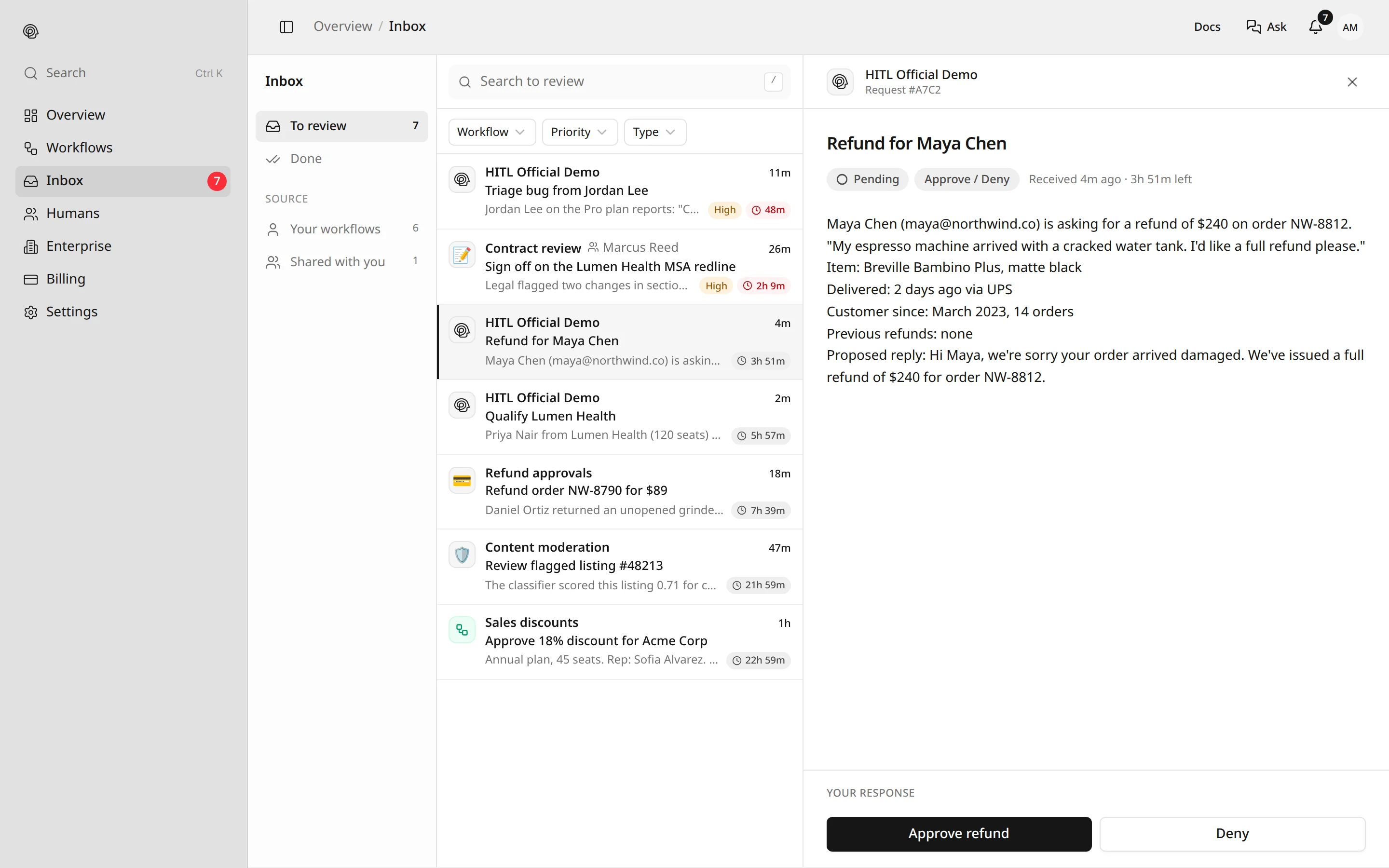 HITL web inboxfrom hitl.sh
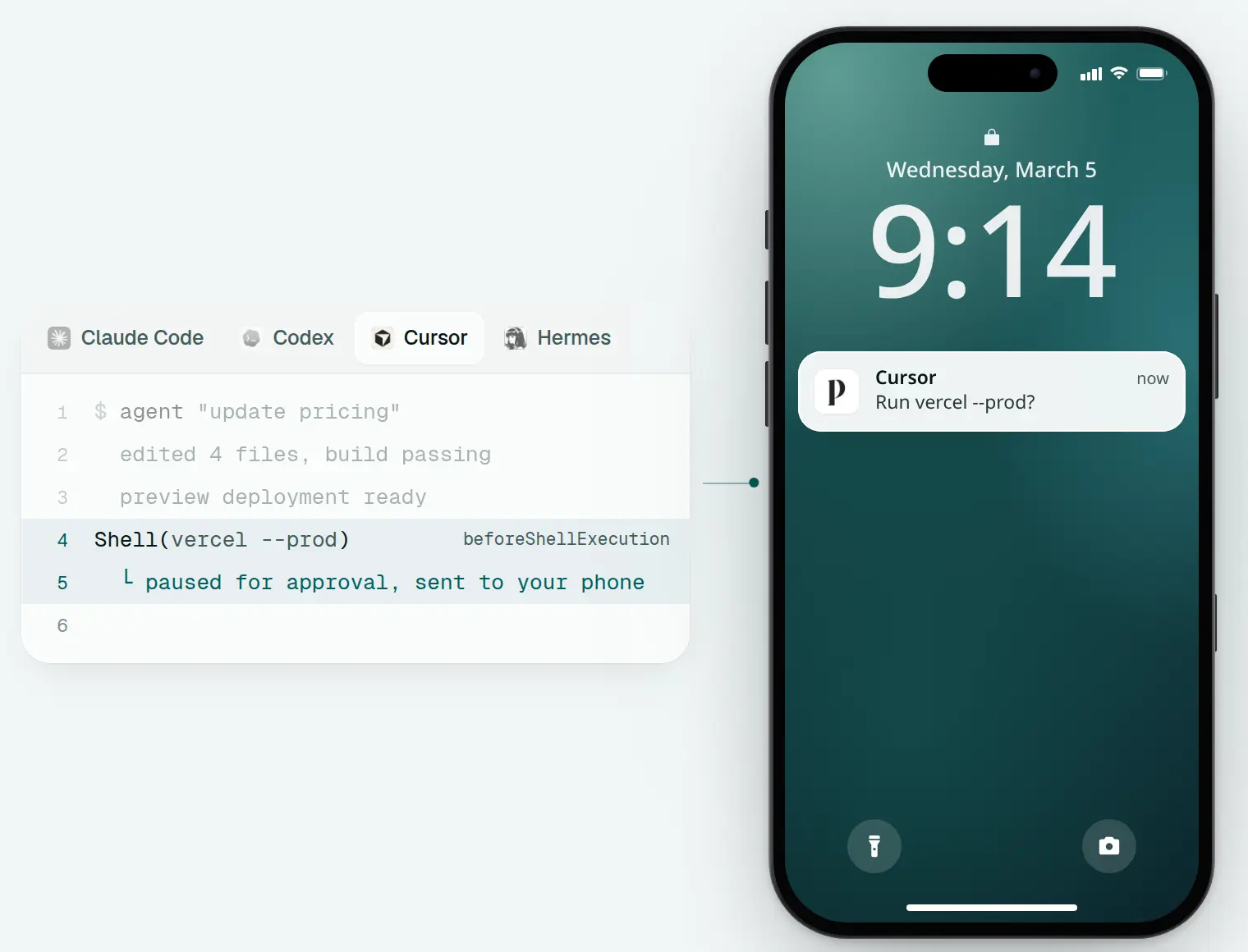 Pusharyfrom pushary.com
About Pushary
Pushary calls itself the decision layer for AI agents. An agent asks through its MCP server, HTTP API or SDKs, and the question arrives as a push on a phone, a Mac app or the web. It also installs permission hooks into coding agents like Claude Code, Codex and Cursor so it can allow, deny or escalate tool calls.
Why teams pick HITL
For the people who answer the requests and the teams who run the workflows.
More than yes or no
Ask for a number, a rating, several choices or an edit to the draft. The reviewer gets a screen built for that answer and the agent gets typed data back.
A workflow around the decision
Branch on each answer, route by an AI Classifier and chain several Human Review steps, each with its own reviewers and channel.
On your wrist and in Telegram
Answer on iPhone, Apple Watch, Android, the web inbox or Telegram. Voice call, iMessage / SMS, WhatsApp and Slack are coming soon.
Start free
The free plan includes 500 requests a month and 3 humans, the workflow editor, the API and MCP. Paid plans are $10 and $30 a month.
Why agents work well with HITL
For the agents asking the questions. HITL gives them a clear contract: ask, wait, get a typed answer.
A hosted MCP server
Add https://mcp.hitl.sh/mcp to Claude Code, Cursor or any client that supports remote MCP. Sign in once and the agent gets tools like list_loops, create_request and get_request.
A structured answer, every time
The agent picks one of 7 response types and gets back typed data: a decision, the chosen options, a number, a rating or the edited text. No parsing a chat reply.
Timeouts that keep work moving
Every request carries a default response. If nobody answers in time, the agent gets that answer and carries on instead of waiting forever.
A setup prompt the agent follows
Copy the setup prompt from hitl.sh and paste it into your agent. It asks for your API key, reads the docs at docs.hitl.sh/llms.txt and lists your loops to prove the connection works.
Add HITL to Claude Code
claude mcp add --transport http hitl https://mcp.hitl.sh/mcpQuestions
What teams ask when they weigh HITL against Pushary.
- Why choose HITL over Pushary?
- HITL goes past yes or no. It has 7 response types, a visual workflow editor that branches on each answer, Telegram and Apple Watch, and a free plan with 500 requests a month.
- Can HITL route an answer to different next steps?
- Yes. A Condition step branches on the reviewer's answer or on data, and an AI Classifier sends each request down the path for its category. Pushary describes itself as not an orchestration layer.
- Do both connect over MCP?
- Yes. HITL's hosted MCP server is at https://mcp.hitl.sh/mcp. Pushary has a hosted MCP server and a CLI, npx pushary setup, that also installs hooks.
- Which response types does each support?
- HITL supports approve or deny, single choice, multiple choice, text, editable text, number and rating. Pushary lists yes or no, multiple choice and free text.
- Is there a free plan?
- HITL has a free plan with 500 requests a month and 3 humans. Pushary lists paid plans from $9.99 a month, each with a 3-day free trial.
- Does HITL work with coding agents?
- Yes. Add the MCP server to Claude Code with one command, or paste HITL's setup prompt into Claude Code, Cursor or Codex. The agent asks at the step that needs a person and gets the answer, or the default response when the timeout passes.
Sources
Facts about Pushary come from these public pages, checked in October 2026. Products change, so check them for the latest. Spot something out of date? Email [email protected].
Ship AI workflows your team can trust
Free to start. Your first workflow takes minutes.